



Skip to content
Memotaste

Save recipes from TikTok, Instagram, YouTube and the web. Free, no surprises.

Paste the link or share it from the app: the recipe lands in your recipe box with ingredients and steps, even when the video only says it out loud. Then find it again by searching an ingredient.

  • TikTok
  • Instagram
  • YouTube
  • Facebook
  • Chrome
  • Voice
  • Photo
  • Handwritten recipes and notes

Organize and add all your recipes, free

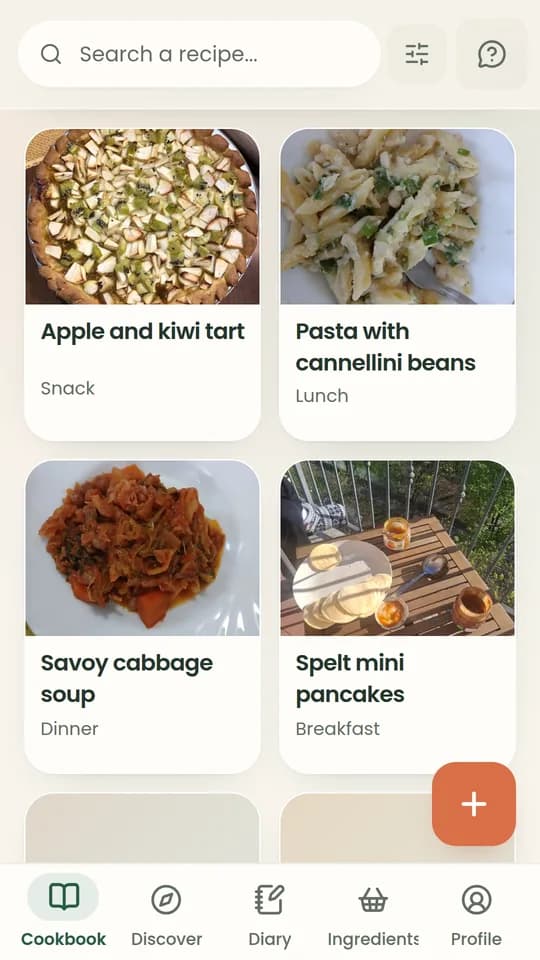
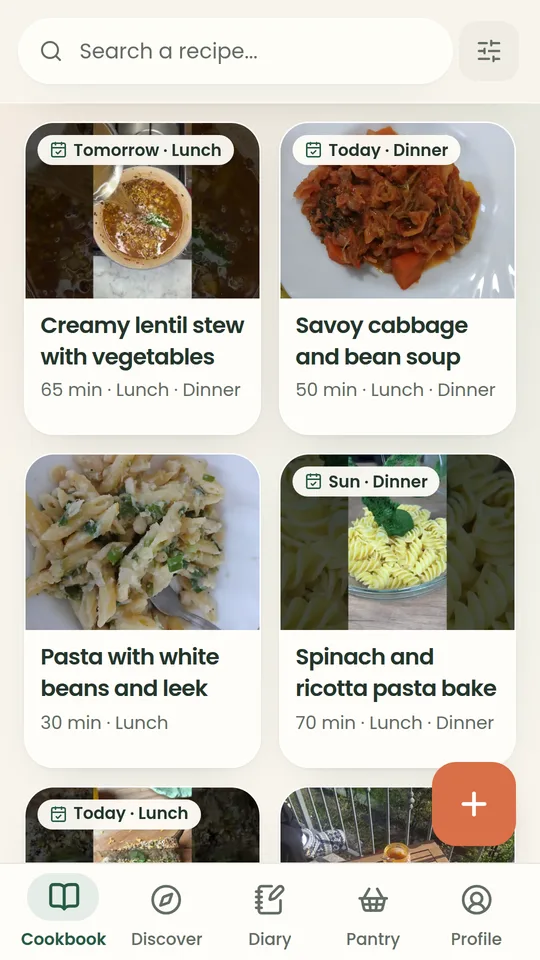
The Memotaste recipe box on a phone: creamy lentil stew, Savoy cabbage and bean soup, pasta with white beans and leek, spinach and ricotta pasta bake

Save a recipe in three steps

Nothing to copy out by hand: paste a link and the recipe lands in your recipe box.

  1. 1 / 3

    Find the recipe

    On your favourite social app or a cooking website, pick the recipe you don't want to lose.

    How to save recipes from social media
  2. 2 / 3

    Copy the link or share it

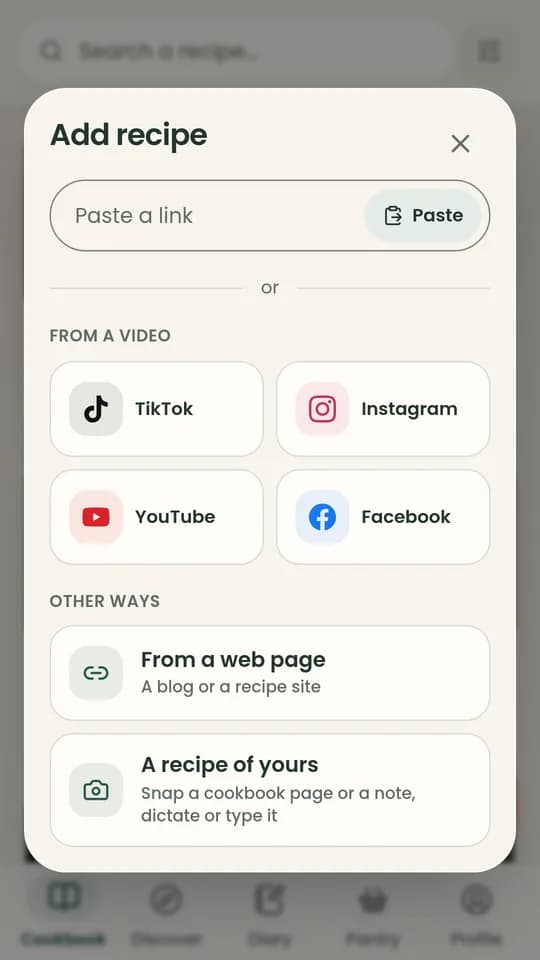
    Paste the link into Memotaste. On Android, tap Share and pick Memotaste directly.

    Try importing a recipe
  3. 3 / 3

    AI does the rest

    It reads the description, the captions and, when needed, the video's audio; then you can correct the ingredients and steps.

Choosing a source when adding a recipe

Not just from social media

Every recipe you come across, from any source, in one recipe box.

  • Videos

    Instagram, TikTok, YouTube and Facebook: paste the link, get the recipe.

  • Cooking websites

    Blogs and recipe sites, without the ads and the life story.

  • Books and cards

    Photograph a cookbook page or a handwritten family recipe.

  • Voice and text

    Dictate a recipe while you cook or paste text you already have.

  • Your own recipes

    Type them in, with your own ingredients and amounts.

  • Only have a photo of the dish?

    AI recognises the dish and suggests ingredients and steps: it is not the original recipe, so check it before you save.

Your recipe box, every day

Not an archive you forget about: you open it whenever you decide what to cook.

Swipe to explore. Open a screen for a closer look.

  • Find your recipes

    Search by name or ingredient and filter by meal, season or time.

    Find your recipes
  • Open it when you need it

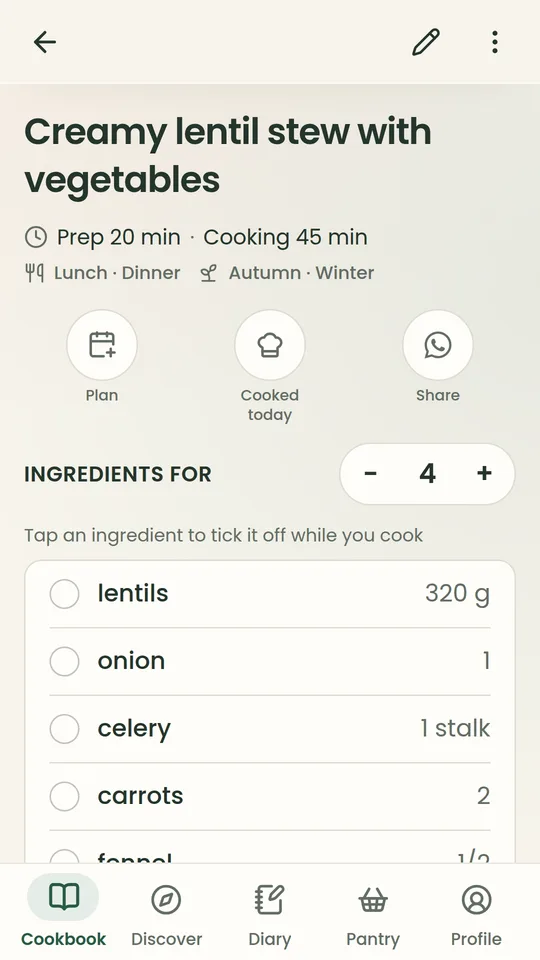
    Photos, quantities and ingredients in the recipe card, right at the stove.

    Open it when you need it
  • Plan your week

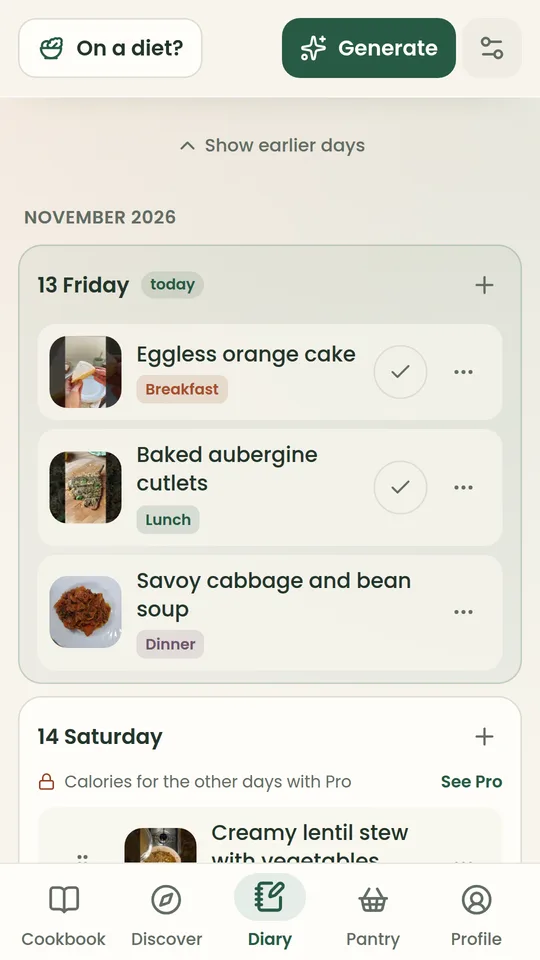
    Choose what to cook and see your meals day by day.

    Plan your week

From recipe to cart

Decide what to cook this week and the shopping list writes itself.

  1. 1 / 3

    Choose your recipes

    Put them on the days of the week, or let the menu fill itself from your saved recipes.

    How to plan your meals
  2. 2 / 3

    Ingredients become groceries

    Ingredients for your planned meals gather in one list, sorted by aisle.

  3. 3 / 3

    Tick them off at the store

    Check off what goes in the cart or is already in the pantry. With a household, you share it with whoever shops with you.

    How household sharing works

Your recipe box, for free.

With Pro, nutrition facts per serving and no daily import limit, for your whole household.

Import for free from any source, up to 10 recipes a day

Other apps' free plans stop after a few imports. See the comparison, with sources

Pro billing

Free

Your everyday recipe box.

Free

Forever. No card required.

  • Free imports from any source, 10 a day

  • Personal recipe box

  • Shopping list and pantry

  • 50 translations per month

  • 3 photo analyses per month

    From a photo of a dish. Importing from photos stays free.

  • Generate meal plans automatically

  • Nutrition facts: try them on one recipe

  • Up to 2 people in your household

Start for free

You can switch to Pro at any time.

Pro

More possibilities for your whole household.

€3.50/ month

One subscription for your household.

  • Everything in Free, plus:
  • Translate recipes into your language

  • 400 photo analyses per month

    From a photo of a dish. Importing from photos stays free.

  • Generate meal plans automatically

  • Nutrition facts per serving on every recipe

  • Up to 6 people in your household

Choose Pro

The first 7 days are free, and you can cancel whenever you want.

Allowances renew every month, including on the yearly plan, and Pro ones are shared across your household.

How do free imports work?

Imports are for personal use. We protect the service against automated or rapid requests. New processing may be temporarily paused if service capacity is reached; saved recipes remain accessible.

Before you start

Answers about the free plan, imports and shared recipes.

What is free on Memotaste?

Import for free from any source: videos, web pages, photos, voice and text, up to 10 recipes a day (no daily limit on Pro). For personal use, with protections against abuse. The Free plan includes a recipe collection, manual entry, manual meal planning and an ingredient list. Automatic meal plan generation is included in Free, with no monthly allowance. A household includes up to 2 people on Free and up to 6 on Pro, with separate sign-ins. Free allowances and Pro translation and photo analysis allowances renew each UTC calendar month.

Are imported recipes complete?

If the ingredients and steps are in the video, its description or the page, yes: Memotaste extracts and saves them. If they are missing, for example in a video without amounts, the recipe may come out incomplete or need corrections. Every import is a copy you can edit. Private or inaccessible sources may not import.

Am I the only one who sees my recipes?

Recipes you write yourself, by typing, voice, text or a photo, stay yours and do not appear in the public catalogue. A recipe imported from a public video or page also joins Discover, the shared collection, without your name; your copy and your edits stay personal. Members of your household see the household's recipes, and anyone you send a share link to can open that recipe.

Can I use it with another person?

Yes. Free includes up to two people; Pro up to six. Your household shares recipes, meal plans and groceries, not passwords. Preferences stay personal; you choose whether other members can see them.

Does it work on iPhone, Android and computers?

Use your recipe box in a browser on a computer, iPhone or Android. On Android, the app is also on Google Play where available; on iPhone you can add the website to your Home Screen; on a computer, Chrome or Edge can install it as an app. A native iOS app is not available yet.

Start with the next recipe you want to cook.

No card needed. Build your recipe box for free.